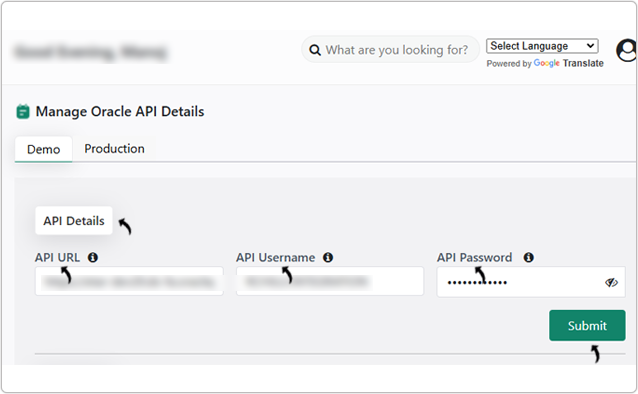
Get API Details
This topic describe the procedure on how to get the API URL, API Username, and API Password for the RChilli chrome configuration.
Prerequisite
Before you configure the Oracle API details, create the custom role by following the instructions in Creating Custom Role. You can also watch the walkthrough video for guidance on creating the custom role.
API URL
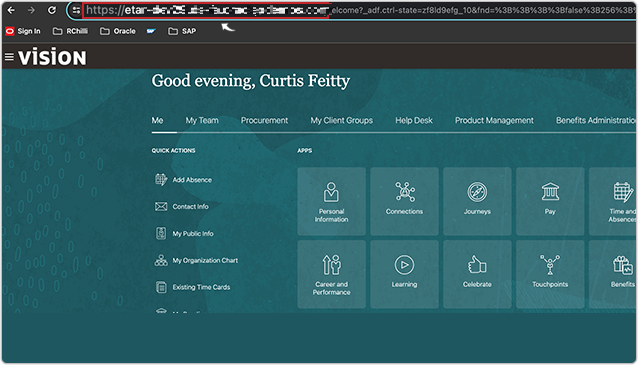
The API URL is typically the URL of your Oracle Cloud service, for example https://servername.fa.us2.oraclecloud.com. You can get API URL when signing in to your Oracle Instance, see below
image.
API Username and Password
Follow the below procedure to create the API user with the necessary roles and
permissions.
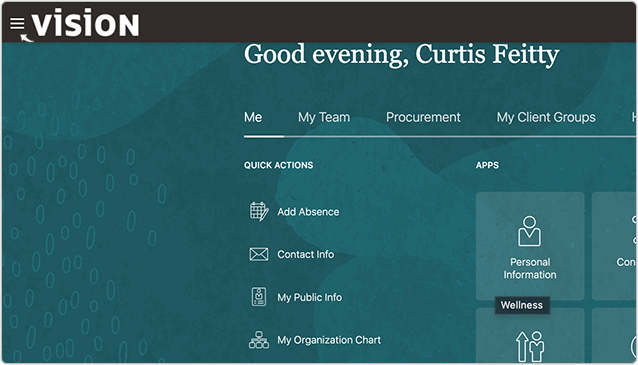
- Click on the three lines on the left-hand side top corner.
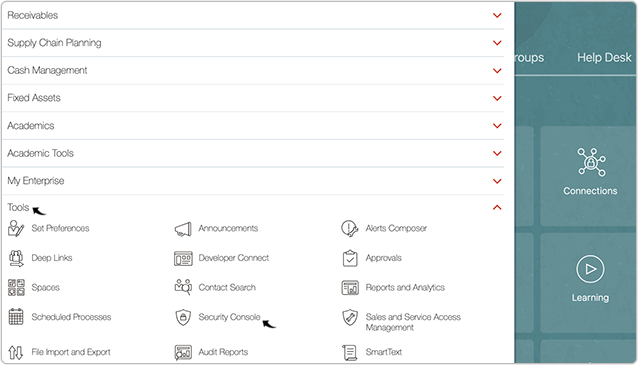
- Navigate to Tools > Security Console.
- Click on the Users tab on the left-hand side navigation panel.
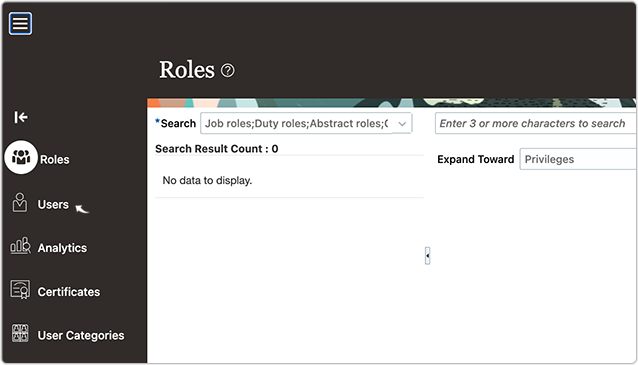
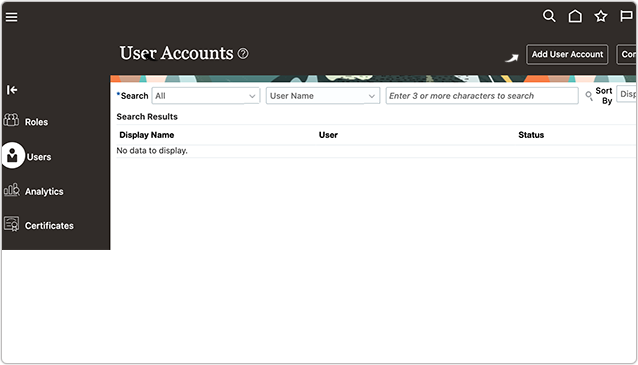
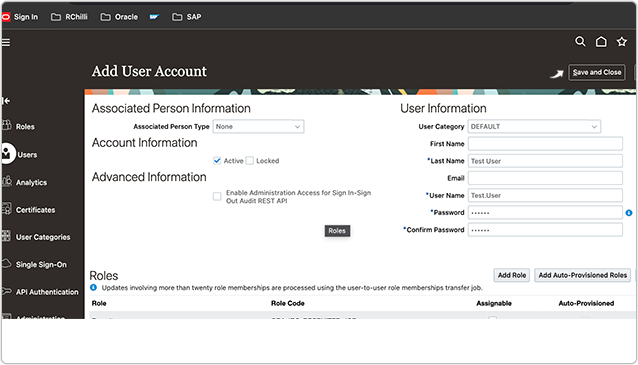
- Click Add User Account to add a user with the necessary roles and
permissions.
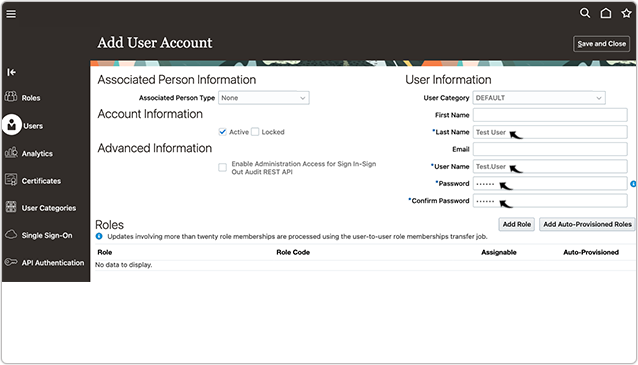
- On the Add User Account page, fill the fields as necessary along with
the mandatory fields i.e., Last Name, Email, User Name,
Password, and Confirm Password.Note: Make a note of the User Name and Password, these details are needed when you configure the API Details.
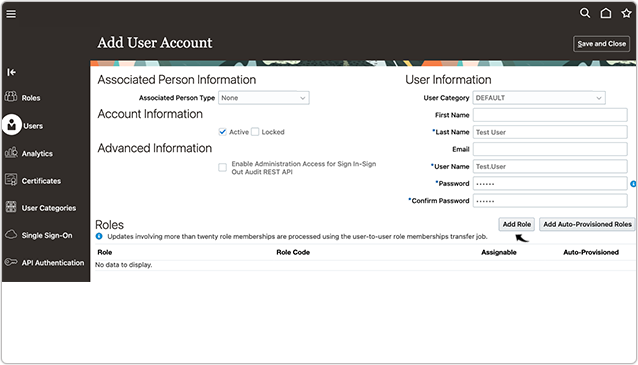
- Once you filled the details above, click Add Role.
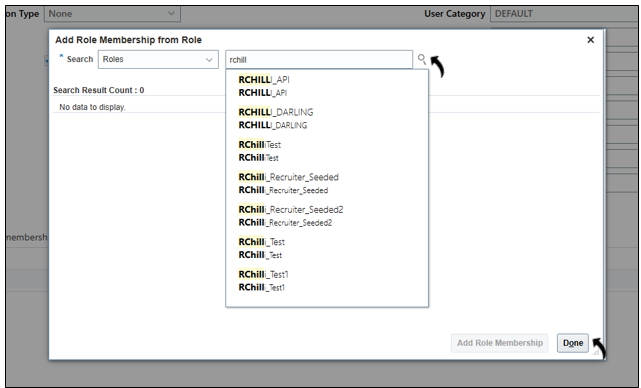
- Search for the custom role that you created as described in the Prerequisite section, and click Done.
- Once the role is added, click Save and Close button.
 Note:
Note:- To know more about the roles and privileges for HCM REST API, refer HCM Rest Security Roles and Privileges 23C.
- To know more about the roles and privileges for Recruiting Candidates API, refer Recruiting Candidates.
- Enter the API URL, API Username, and API password that
you noted in this task in the API Configuration. Refer API Details for more details.