Job Distribution
Use the Job Distribution agent to review unposted job requisitions, configure job posting details, add screening questions, and submit jobs for distribution.
To use Job Distribution AI agents, follow the below procedure:
- Log in to your Oracle Recruiting Cloud account.
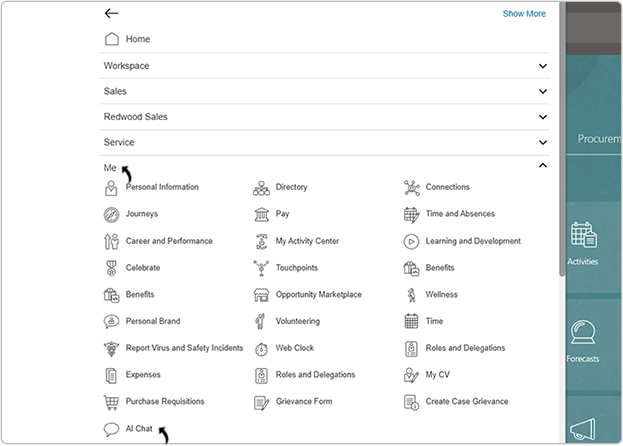
- Navigate to Home → Me → AI Chat.
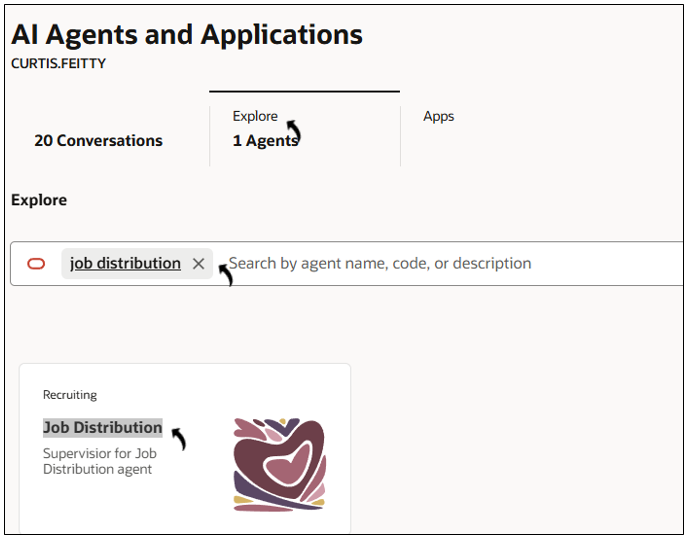
- On the AI Agents page, click Explore.
- Search for and open the Job Distribution agent.
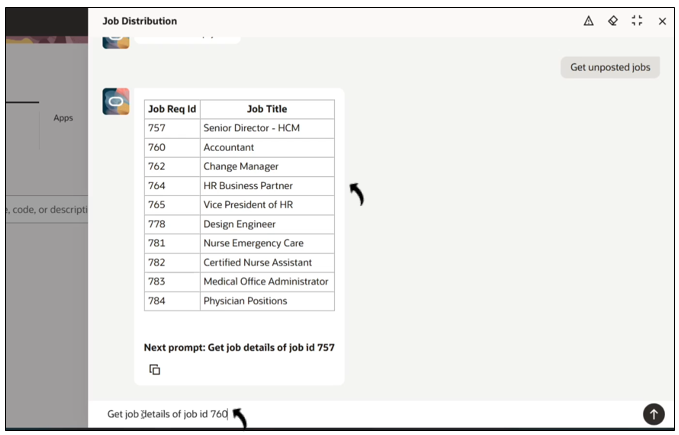
- In the Ask Oracle field, enter a prompt to retrieve unposted jobs.
Example prompt: Get unposted jobs.
Note: You can also select one of the available suggested prompts.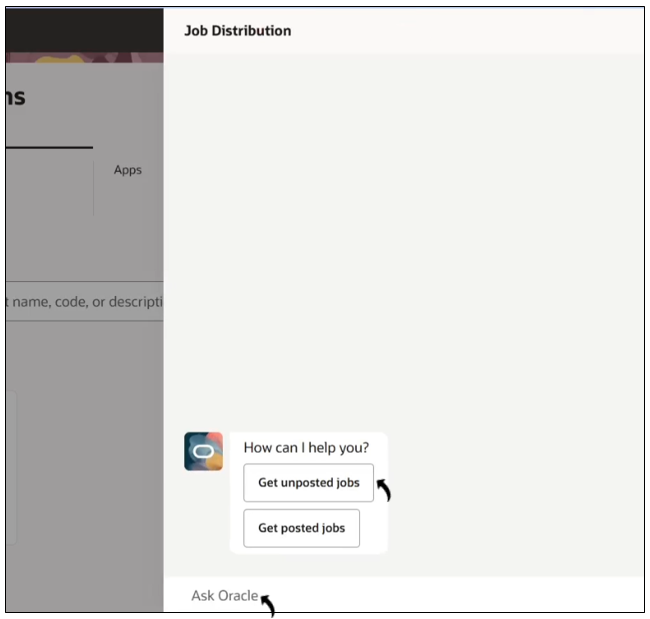
- From the displayed list, request the details of the job that you want to
post.Example prompt: Get Job details of job id 760.
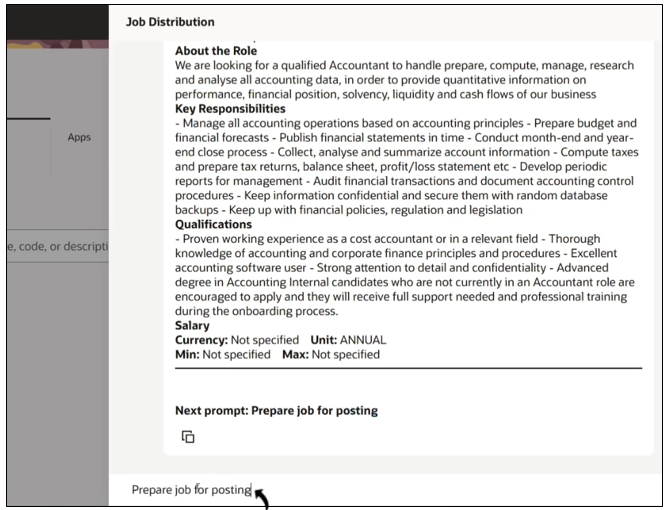
- Review the job details displayed by the agent, including the job roles, responsibilities, qualifications, and other available information.
- Ask the agent to prepare the selected job for posting.Example prompt: Prepare the job for posting.
- When prompted, add the required screening questions.
Example prompt: Question Label: Are you willing to relocate?, Question Type : Checkbox, Mandatory: true, Options: Yes or NO
Note: You can add multiple questions or skip by giving prompt: SKIP.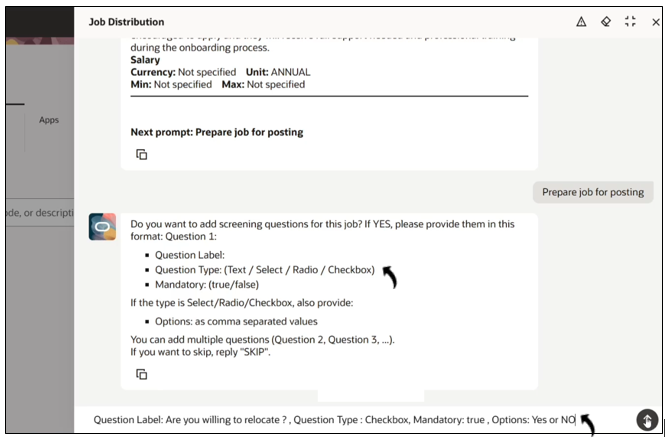
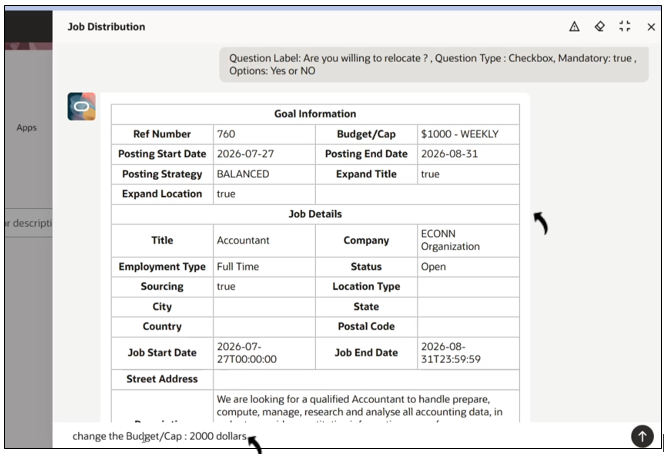
- Review the final job posting details displayed by the agent.
- Update any job posting field as required.Example prompt: Change the Budget/Cap to 2,000 dollars.
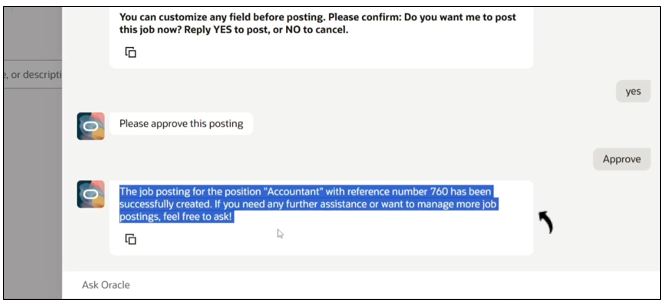
- After completing the required changes, confirm that you want to post the job.
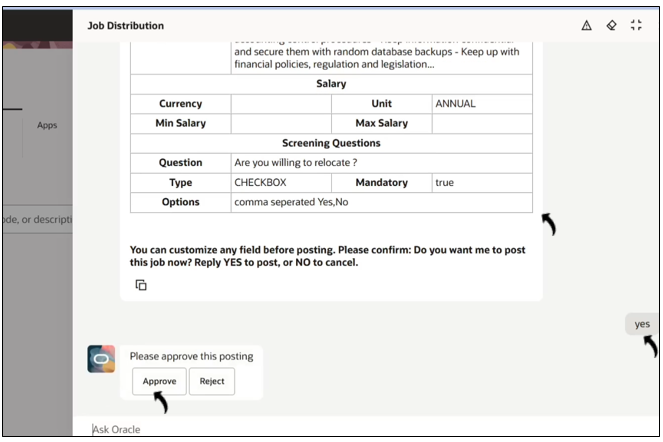
- Review the approval request generated by the agent and approve the job posting.
- After approval, the agent posts the job and displays a confirmation message.