AI Job Description Enhancement Companion
The AI Job Description Enhancement Companion agent enables recruiters to automatically generate job descriptions for job openings in Oracle Recruiting Cloud.
The agent analyzes job requisition details and produces a relevant, well-structured job description to help recruiters save time and ensure consistency.
To use AI Job Description Enhancement Companion agents, follow the below procedure:
- Log in to your Oracle Recruiting Cloud account.
- Navigate to Home → Me → AI Chat.
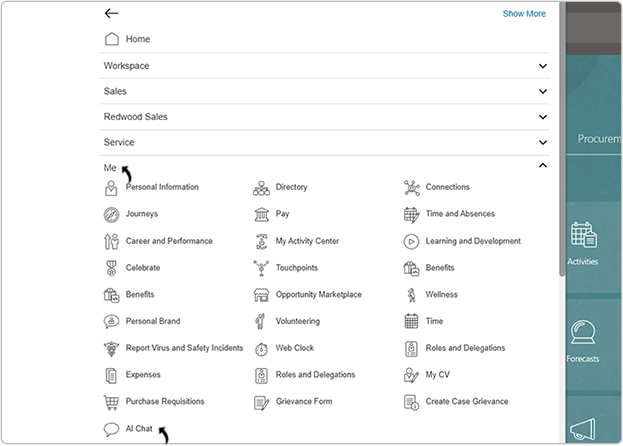
- On the AI Agents page, click .
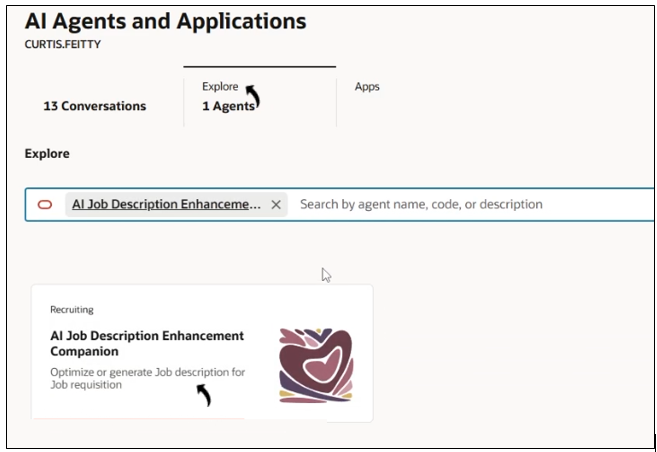
- In the AI Job Description Enhancement Companion chat window, type a prompt in
Ask Oracle such as: Get me the open job
list.
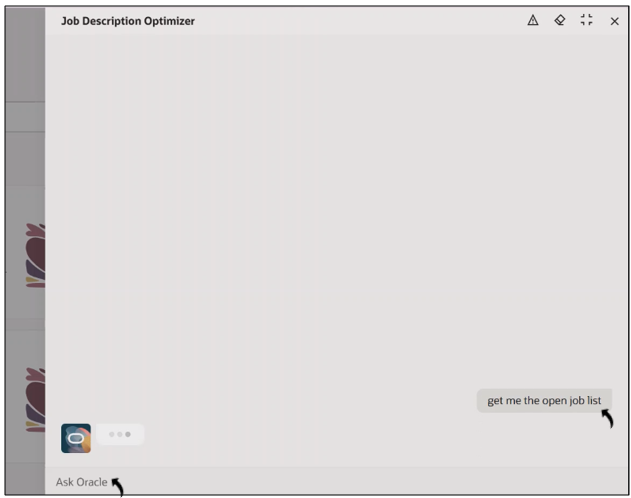
- The agent displays a list of open jobs in Oracle Recruiting Cloud.
- Once the job list is displayed, type a prompt to generate the job description for a
specific job requisition. Example prompt: Generate the job description for job ID 972.
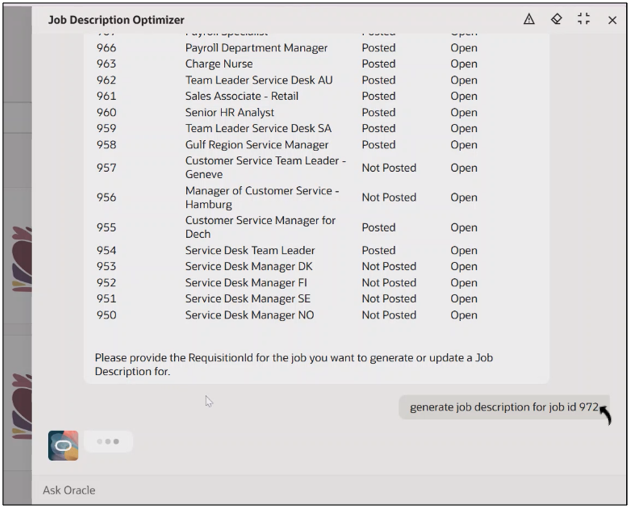
- The agent analyzes the requisition information and generates a job description
grouped into the following categories:
- Company Overview
- Role Summary
- Key Responsibilities
- Requirement
- Preferred Qualifications
- Tools and Technologies
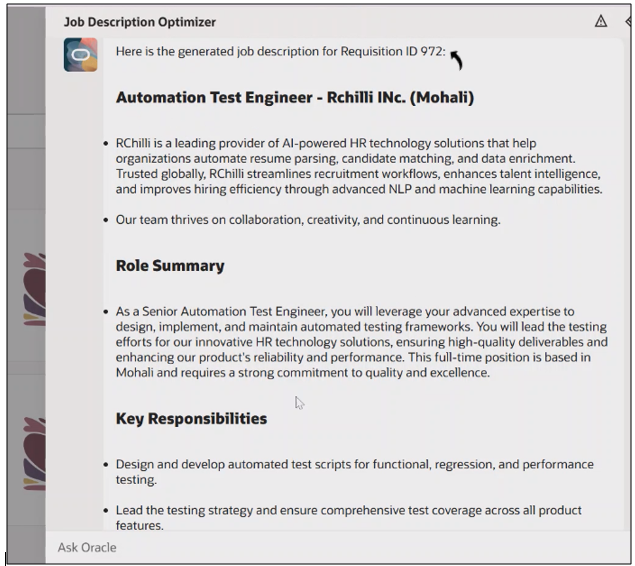
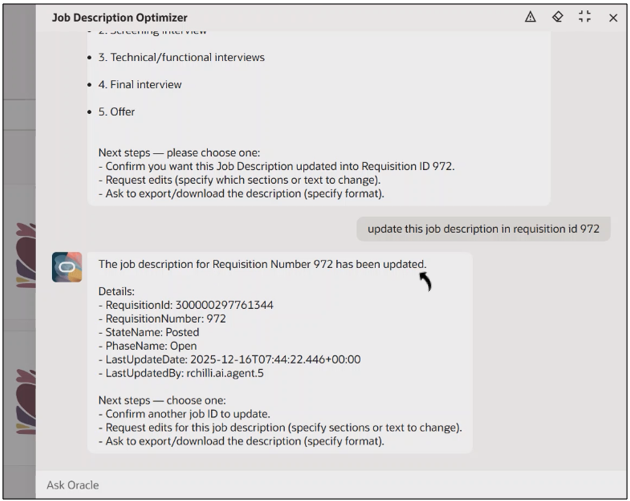
- After reviewing the generated content, type a prompt to upload the job description
to the job requisition.Example prompt: Upload the job description in the job requisition.

- The agent confirms once the job description has been successfully uploaded to the
specified job requisition. The confirmation includes requisition details such as ID,
status, and update timestamp.
View Job Description in Oracle Recruiting Cloud
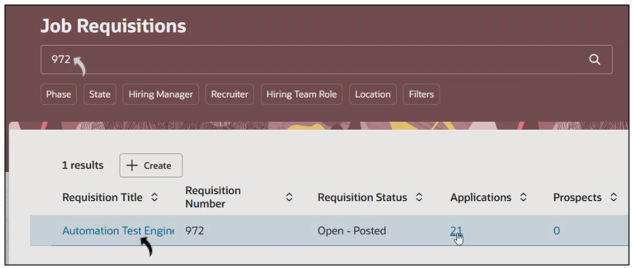
Once the job description is uploaded, recruiters can view it in Oracle Recruiting Cloud by following the steps below.
- On the Job Requisitions page, search for the specific job requisition.
- Click the job requisition title to open its details.
- On the job requisition page, click the Details tab.
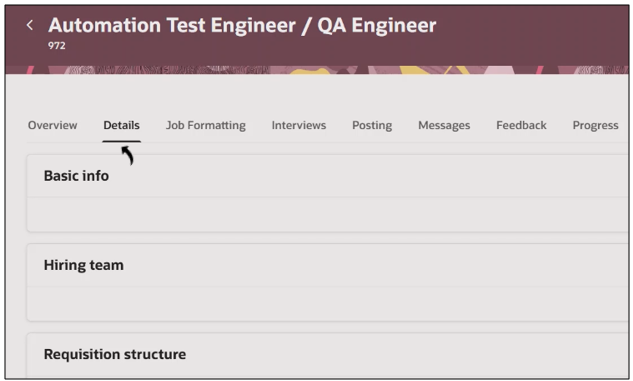
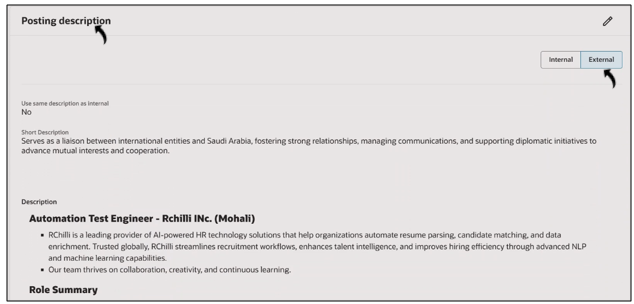
- In the Details tab, scroll to the Posting description section
and click the External tab to view the generated job
description.