
AI Application Insights Companion
The AI Application Insights Companion agent enables recruiters to analyze the skill gap of a job applicant against job openings in Oracle Recruiting Cloud..
The agent reviews the job requisition and applicant details, performs matching, and provides a Matching Score, Skill Gap Analysis, and Ranking compared to other applicants. This helps recruiters make informed hiring decisions efficiently.
To use AI Application Insights Companion agents, follow the below procedure:
- Log in to your Oracle Recruiting Cloud account.
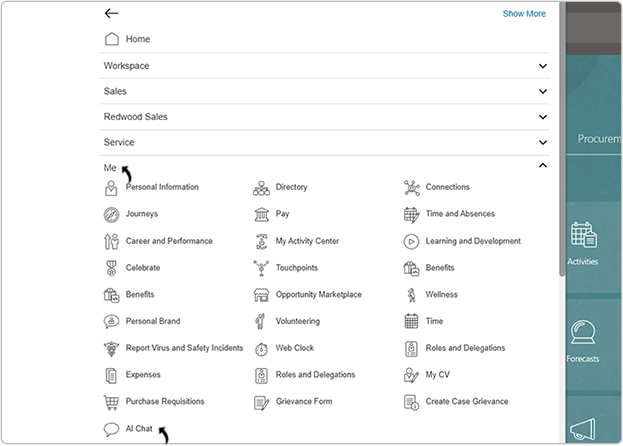
- Navigate to Home → Me → AI Chat.
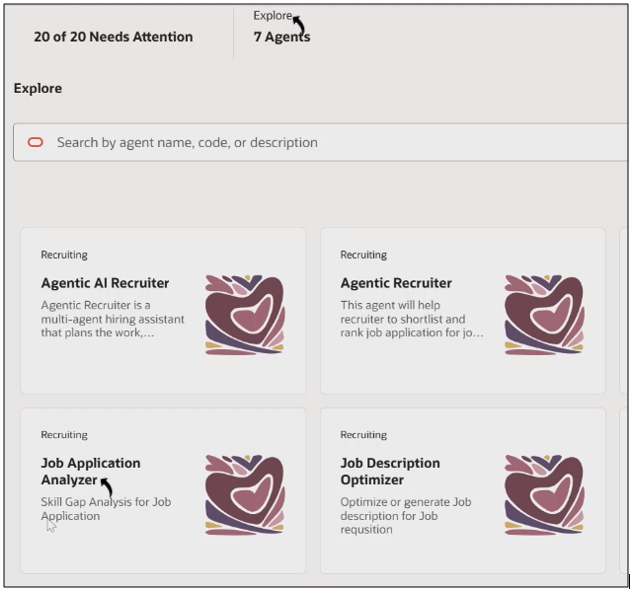
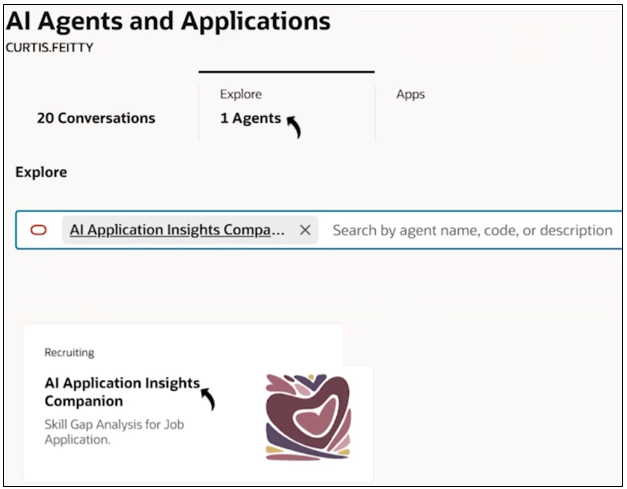
- On the AI Agents page, click .
- In the AI Application Insights Companion chat window, type a prompt in Ask
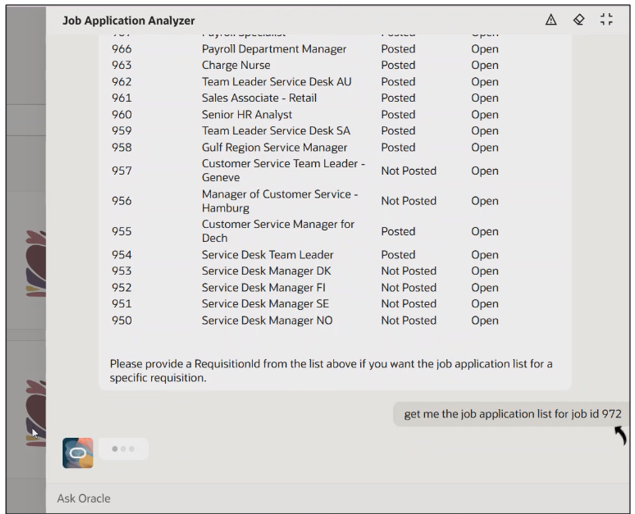
Oracle such as: Get me the open job list.
- The agent displays a list of open jobs in Oracle Recruiting Cloud.
- Once the job list is displayed, request the list of applicants for a specific job
requisition. Example prompt: Get me the job application list for job ID 972.
- The agent lists all applicants who applied to that job.
- After viewing the applicant list, type a prompt to generate a skill gap analysis for
a specific candidate. Example prompt: Generate skill gap analysis for job application ID 300000315756506.
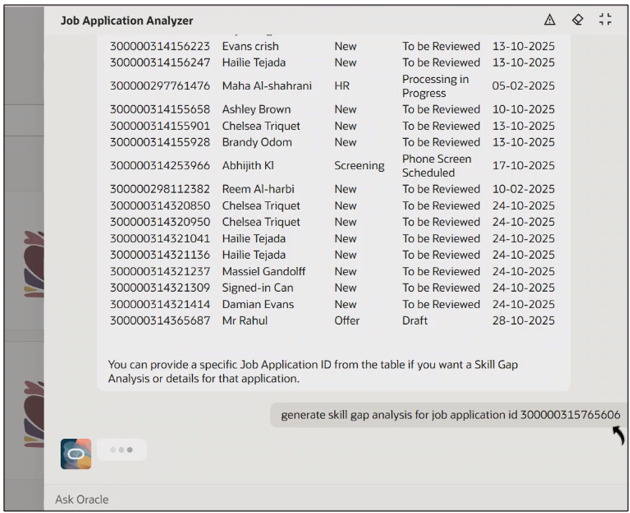
- The agent analyzes the candidate profile, skills, and job requirements to generate
the skill gap results grouped into the following categories:
-
Overall Score (matching)
-
Strength
-
Critical gaps
-
Recommended upskilling resources

-
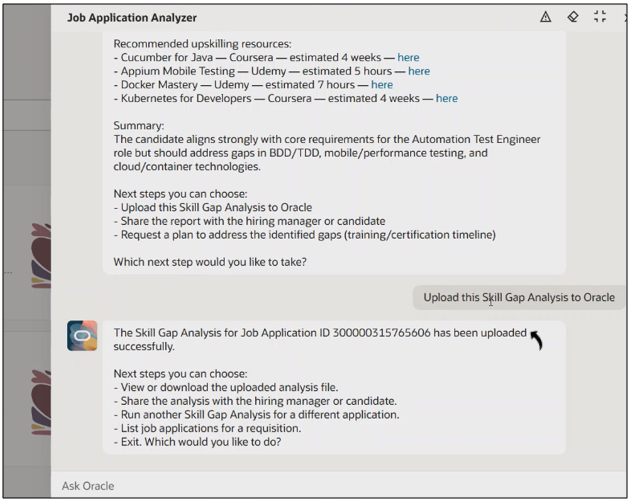
- After reviewing the generated analysis, type a prompt to upload the results to the
candidate’s profile.Example prompt: Upload the Skill Gap Analysis to the job applicant.

- The agent confirms once the Skill Gap Analysis is successfully uploaded to
the applicant record.
View Skill Gap Analysis Report
Once the skill gap analysis is uploaded, recruiters can view it directly in Oracle Recruiting Cloud.
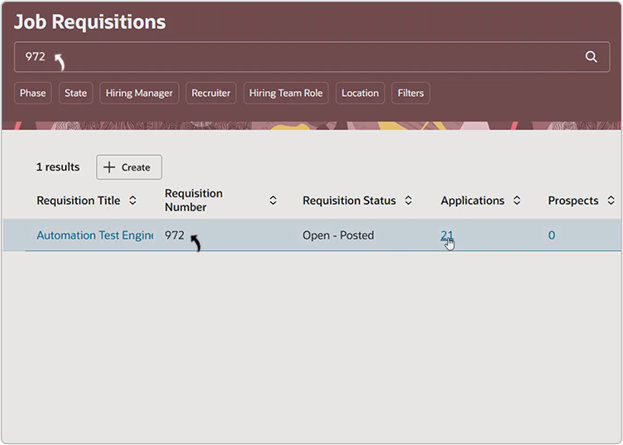
- On the Job Requisitions page, search for the specific job requisition.
- Click the Applications number to view applicants.
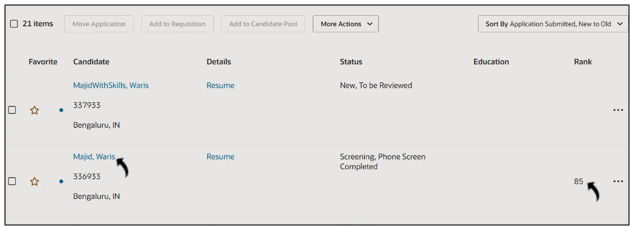
- Click the applicant’s name to open the candidate details page.Note: You can also view the matching score under the Rank column.
- In the Candidate Attachments section, locate the file titled Job
Application Analysis, and click the View icon to open
it.

- The uploaded file contains a detailed skill gap analysis for the specific
applicant, grouped into:
-
Overall Score (matching)
-
Strength
-
Critical gaps
-
Recommended upskilling resources

-