
Job Application
View candidate match scores for a job requisition from the Job Application tab of the Oracle Browser Assistant. The RChilli Search and Match engine calculates the match score for each indexed candidate.
Use this procedure to view the match scores of candidates who applied for a job requisition in Oracle.
- Open a Job Requisition in Oracle.
- Open the Oracle Browser Assistant and select the Job Application
tab.
- The RChilli Search and Match engine automatically scans the open job
requisition and indexes its candidates for matching.Note: Automatic scanning occurs only when the corresponding Job Requisition page is open in Oracle. If another page is open, enter the Job Requisition ID manually to index the candidates.
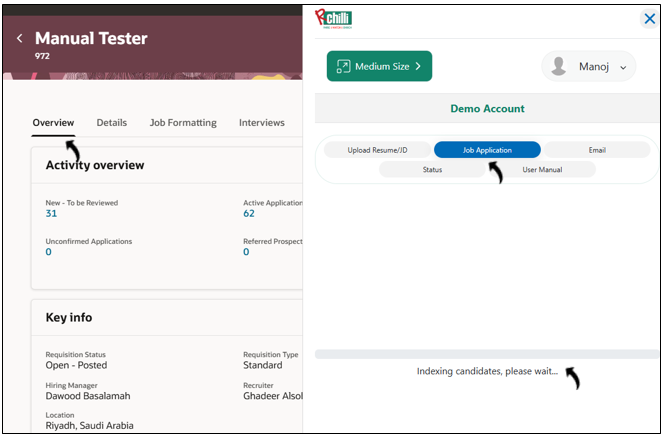
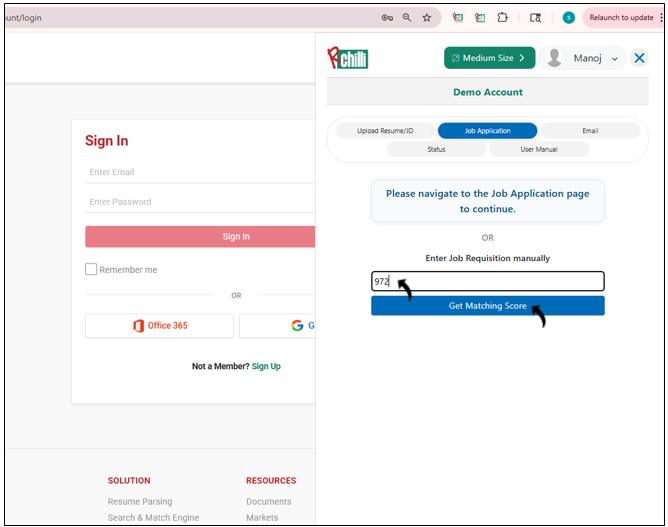
- If automatic scanning does not start, enter the Job Requisition ID,
and select Get Matching Score.Note: Use this option when automatic scanning fails or when the corresponding Job Requisition page is not open in Oracle.
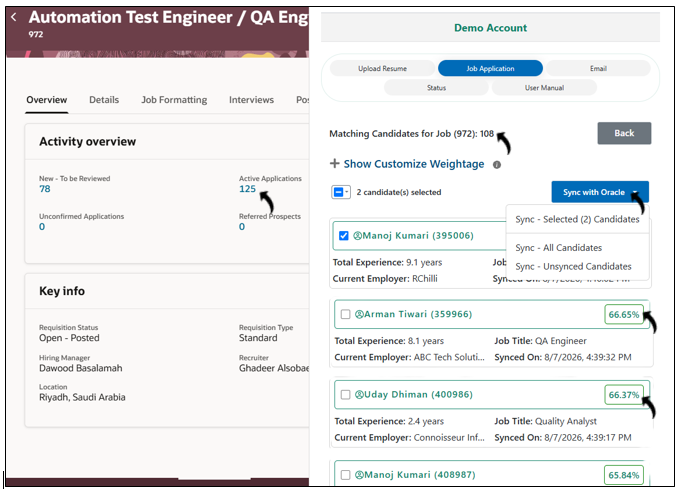
- After indexing is complete, the Oracle Browser Assistant displays the matching candidates and their match scores.
- The RChilli Search and Match engine automatically scans the open job
requisition and indexes its candidates for matching.
- Review the match score for each candidate.
- Candidates with a match score of
0are not displayed. Therefore, the number of candidates displayed in the Browser Assistant can be lower than the number of active applications in Oracle. - You can synchronize candidate information with the corresponding Oracle job
requisition by using one of the following options:
- Sync - Selected Candidates: Synchronizes only the candidates that you select.
- Sync - All Candidates: Synchronizes all displayed candidates.
- Sync - Unsynced Candidates: Synchronizes only candidates that
have not previously been synchronized.
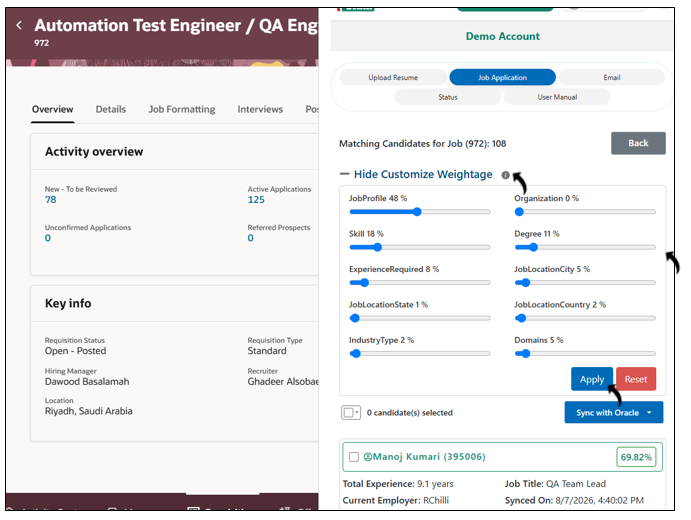
- Optional: Expand Show Customize Weightage to adjust the weight
assigned to the matching parameters. The match scores are recalculated based
on the configured weightage.
- Select Apply to apply the updated weightage and recalculate the candidate match scores.
- Select Reset to restore the default weightage.
- Candidates with a match score of