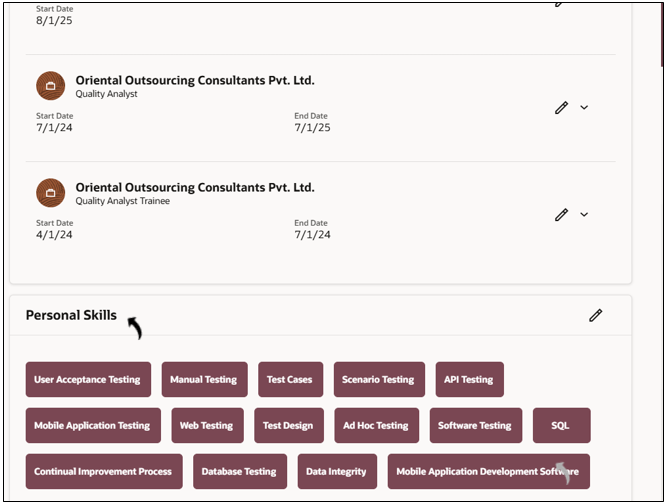
Profile Augmentation - Talent Data Refresh
The Profile Augmentation – Talent Data Refresh Agent enables recruiters to automatically update candidate details in Oracle Recruiting Cloud.
The agent can update candidate skills, certifications, mobile numbers, languages, and other profile information. This helps recruiters ensure that candidate data remains accurate and up to date.
To use Profile Augmentation - Talent Data Refresh AI agents, follow the below procedure:
- Log in to your Oracle Recruiting Cloud account.
- Navigate to Home → Me → AI Chat.
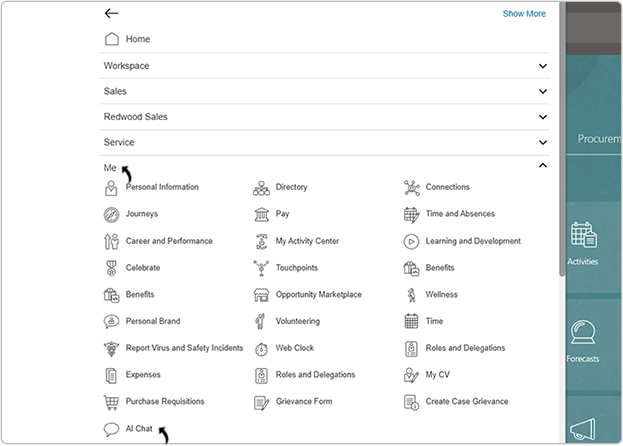
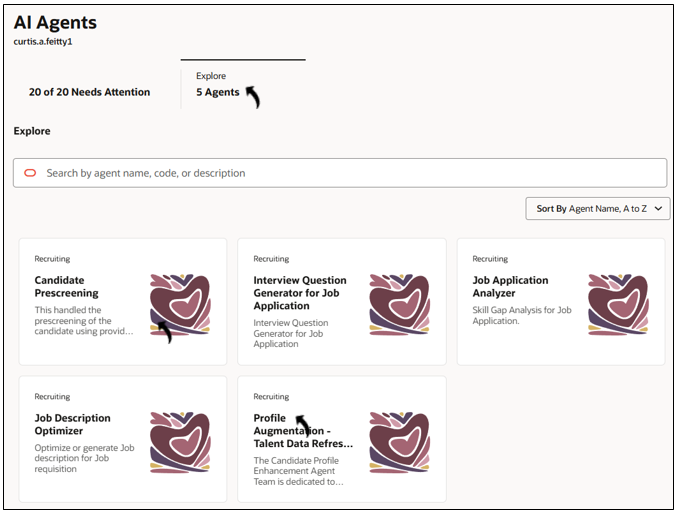
- On the AI Agents page, click .
- In the Profile Augmentation - Talent Data Refresh Agent chat window, type a
prompt in Ask Oracle such as: Get me the candidate
list.
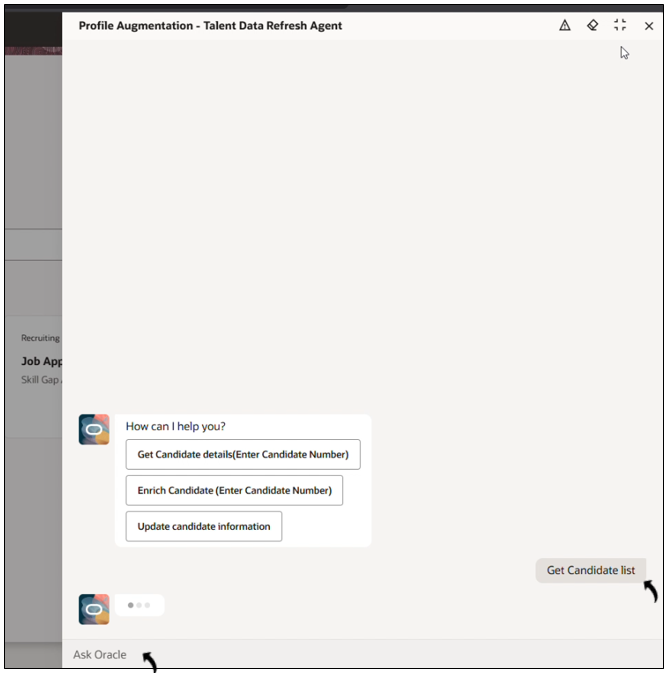
- Once the list is displayed, type a prompt to retrieve details for a specific
candidate. Example prompt: Show details of candidate having candidate number 344936.
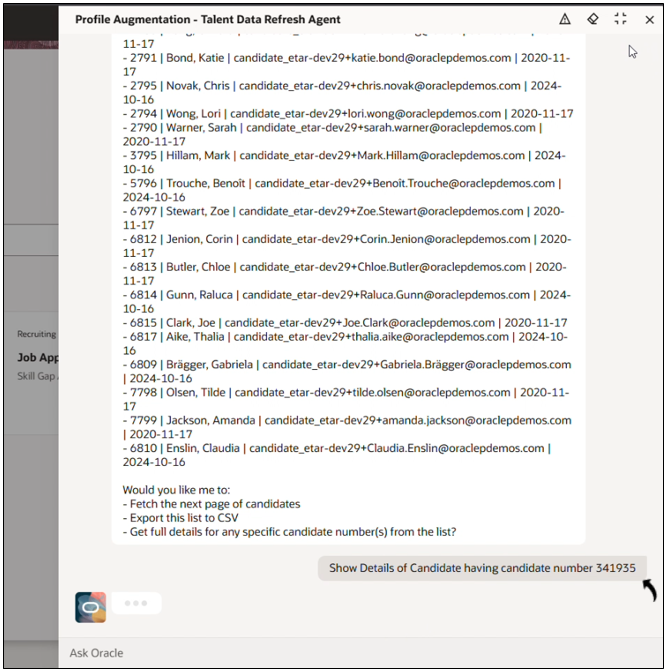
- The agent displays the selected candidate’s details, including skills, experience, languages, and education.
- After reviewing the candidate details, type a prompt to update any specific field in
the candidate profile.Example prompt: Add Time Management as skill in the candidate profile.
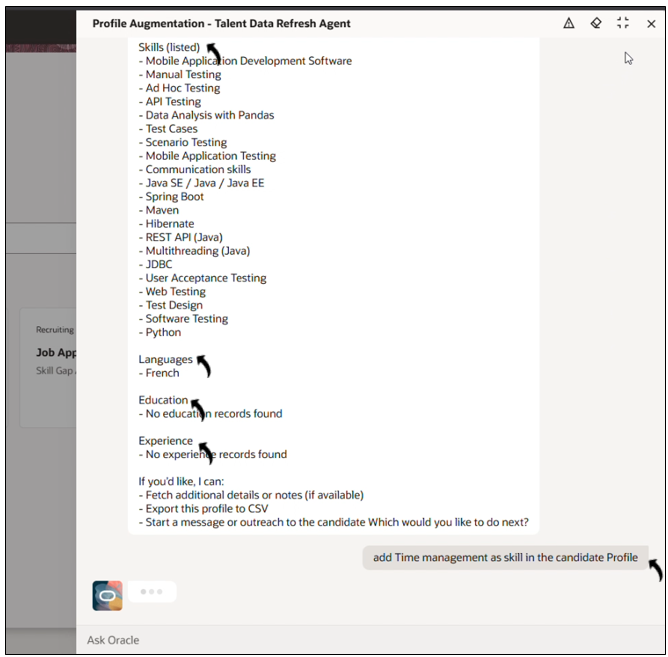
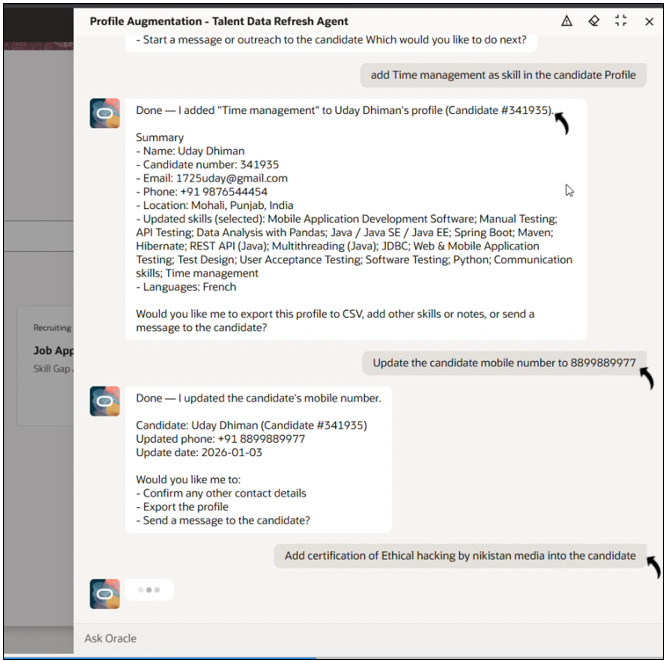
- The agent updates the profile and confirms the change.
- You can also use prompts to update other candidate fields, such as mobile number,
certifications, and languages. Example prompt:
- Update the candidate mobile number to XX8188762.
- Add Certification of Ethical Hacking by Nikistan Media.
- Add German language in the candidate
profile.
View Updated Candidate Details
Once the candidate details are updated, you can view the candidate details in
Oracle Recruiting Cloud.
- Log in to your Oracle Recruiting Cloud account.
- Navigate to Home → My Teams → Hiring.
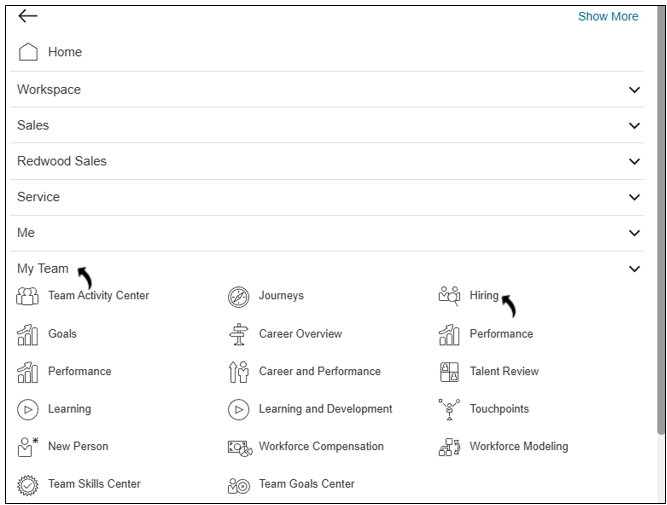
- Click Candidate Search.
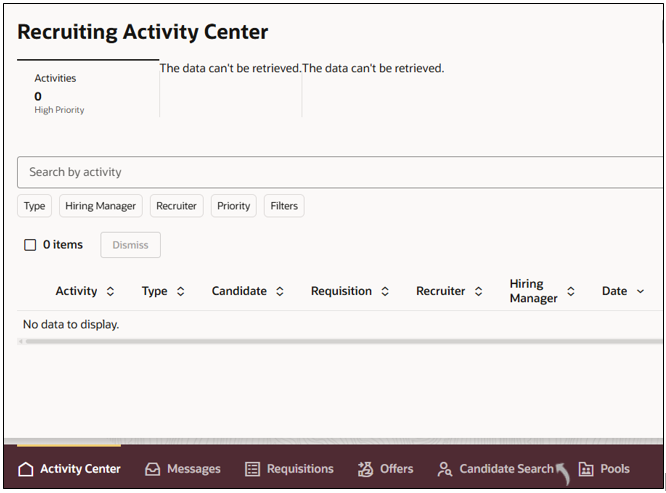
- Search for the candidate by Candidate Number, then click the
candidate’s name to open their details.
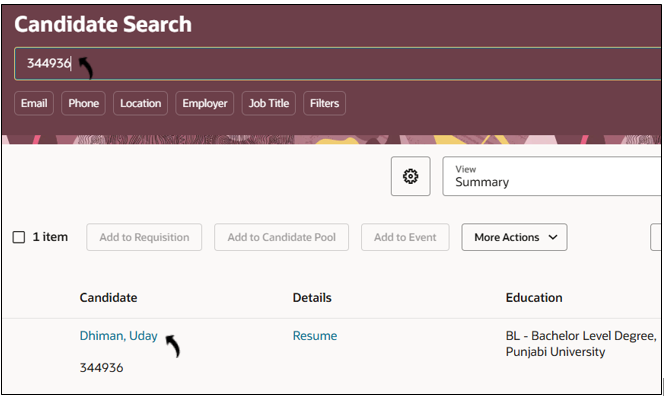
- Scroll down to view and verify all the details updated by the AI agent. You
can review fields such as updated skills, experience,
certifications, and languages.