
AI Candidate Assessment Question Companion
The AI Candidate Assessment Question Companion agent enables recruiters to automatically create interview questions for candidates who apply for job openings in Oracle Recruiting Cloud.
The agent analyzes candidate information, matches it with job criteria, and generates relevant interview questions to help recruiters conduct structured and effective interviews.
To use AI Candidate Assessment Question Companion agents, follow the below procedure:
- Log in to your Oracle Recruiting Cloud account.
- Navigate to Home → Me → AI Chat.
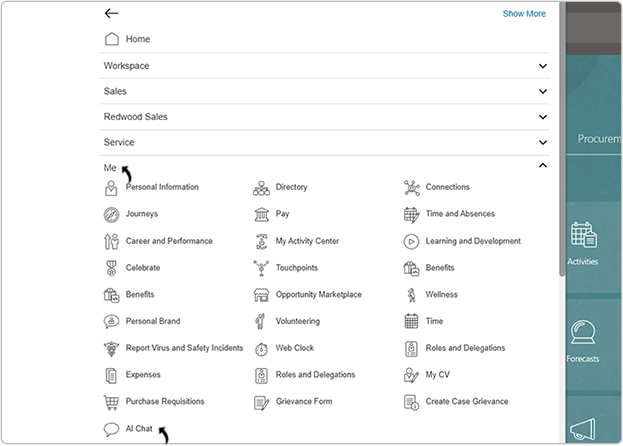
- On the AI Agents page, click .
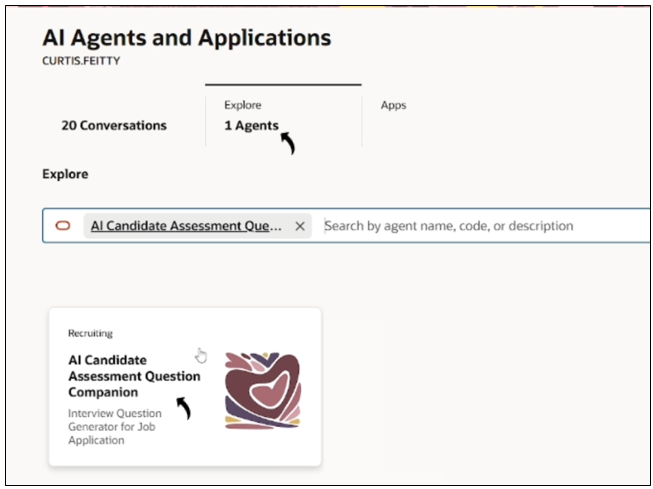
- In the AI Candidate Assessment Question Companion chat window, type a prompt
in Ask Oracle such as: Get me the open job list.
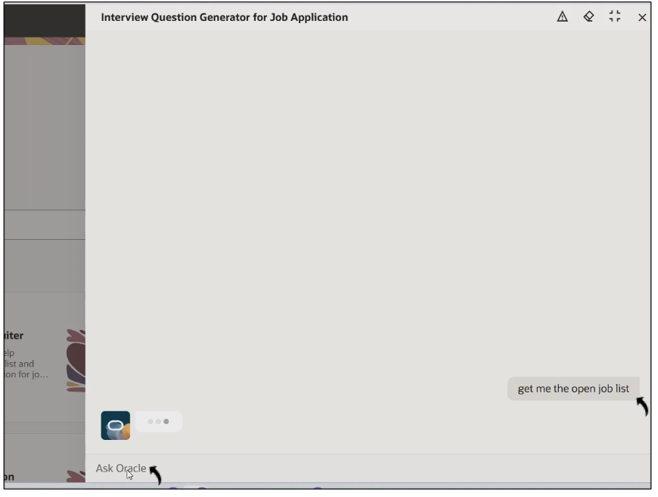
- The agent displays a list of open jobs in Oracle Recruiting Cloud.
- Once the job list is displayed, request the list of applicants for a specific job
requisition. Example prompt: Get me the job application list for job ID 972.
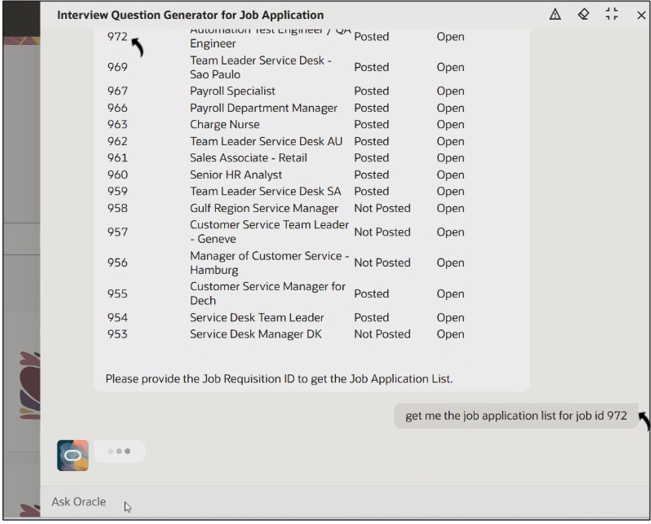
- The agent lists all applicants who applied to that job.
- After viewing the applicant list, type a prompt to generate interview questions for
a specific candidate. Example prompt: Generate Interview Questions for job application ID 300000315756506.
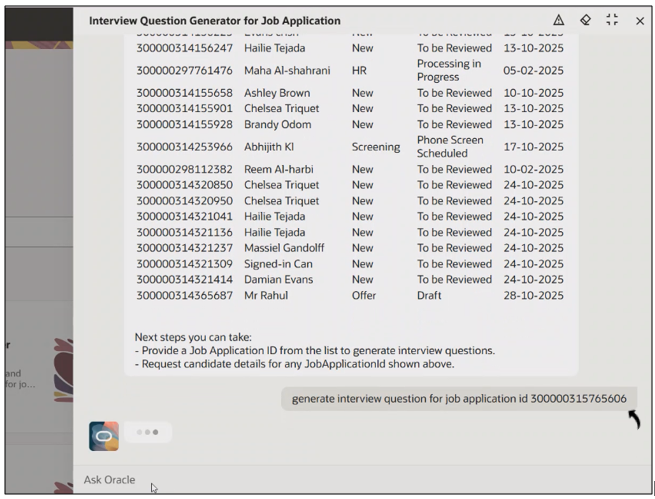
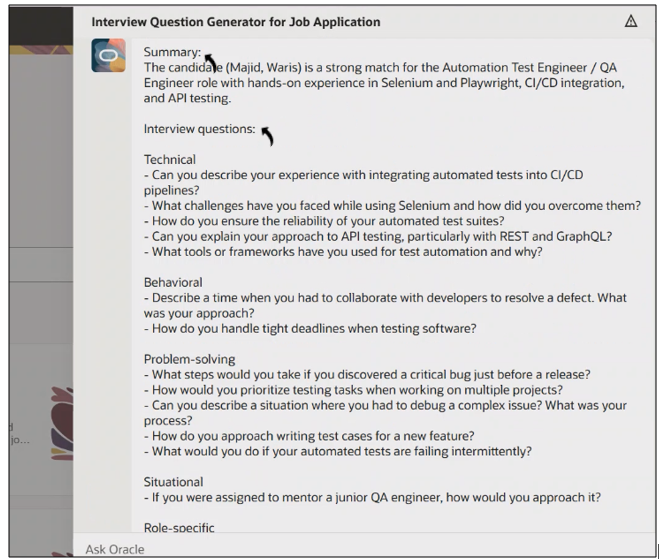
- The agent analyzes the candidate profile, skills, and job information to generate tailored interview questions.
- The agent provides a brief Summary of the candidate’s match to the job, along
with Interview Questions grouped into categories such as:
-
Technical
-
Behavioral
-
Problem-solving
-
Situational
-
Role-specific
-
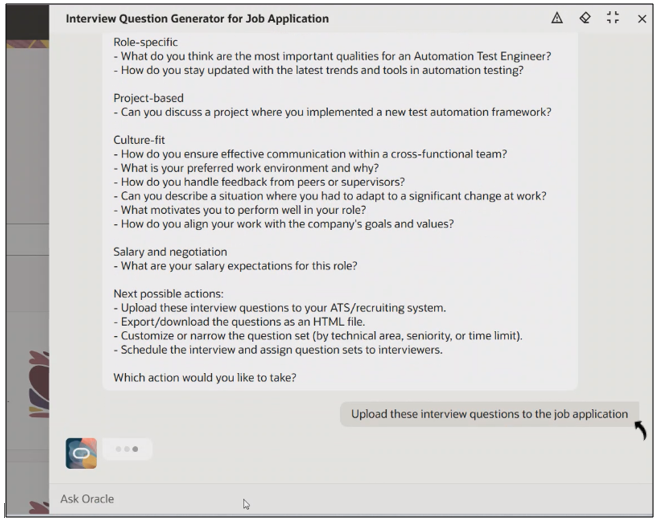
- After reviewing the generated questions, type a prompt to upload them to the job
applicant record.Example prompt: Upload the interview questions to the job applicant.
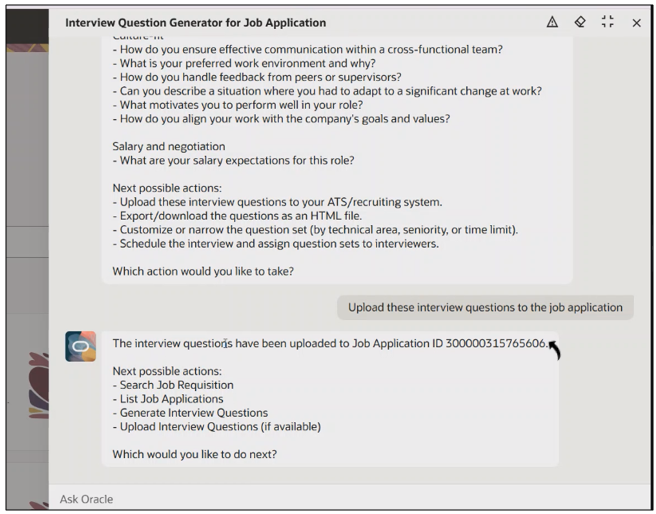
- The agent confirms once the interview questions are successfully uploaded to the
candidate profile.
Interview Questions Against Job Applicant
Once the interview questions are uploaded, the recruiter can view them in Oracle Recruiting Cloud by following the steps below.
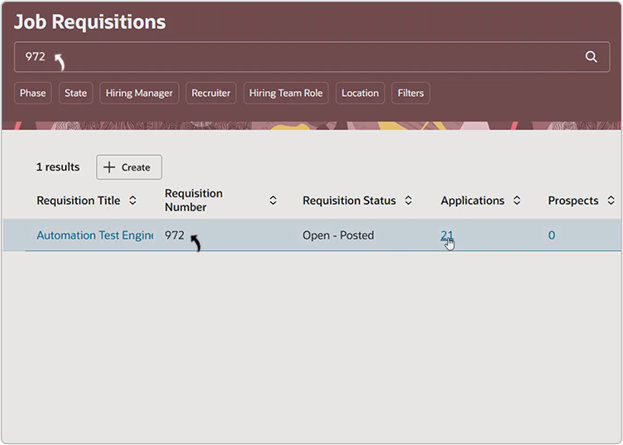
- On the Job Requisitions page, search for the specific job requisition.
- Click the Applications number to view applicants.
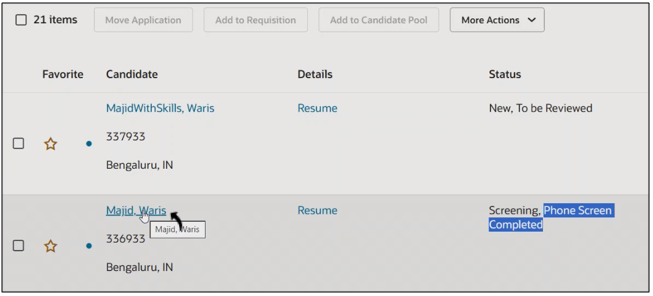
- Click the applicant’s name to open the candidate details page.
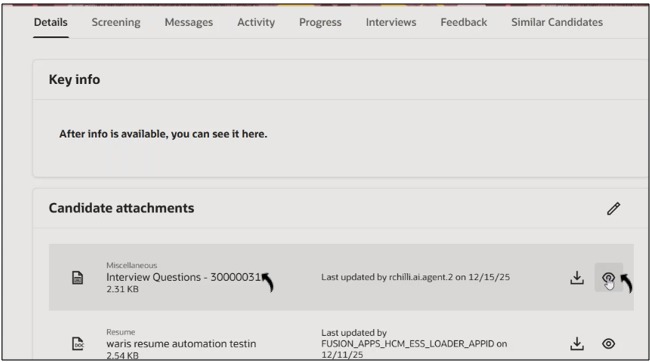
- In the Candidate Attachments section, locate the attachment titled
Interview Questions, and click the View icon to open
it.
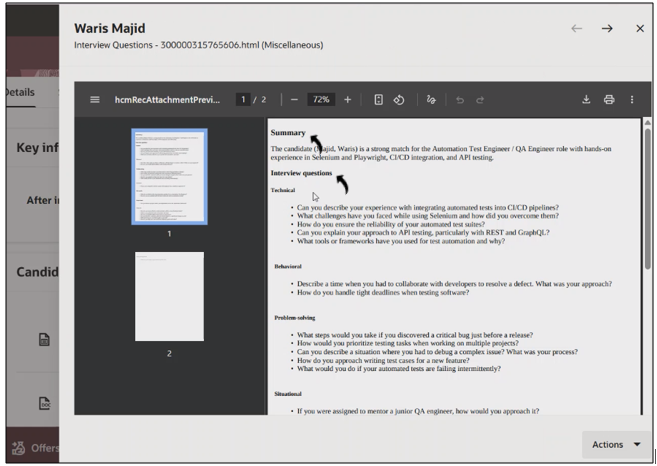
- The uploaded attachment includes:
-
Summary of the candidate’s suitability for the job.
-
Interview Questions categorized by Technical, Behavioral, Problem-solving, Situational, and Role-specific topics.
- Recruiters can click Action to proceed with interview
scheduling or share the questions with the interview panel.
-