Parsing Logs
This topic describes on how the RChilli partner can view the parsing logs.
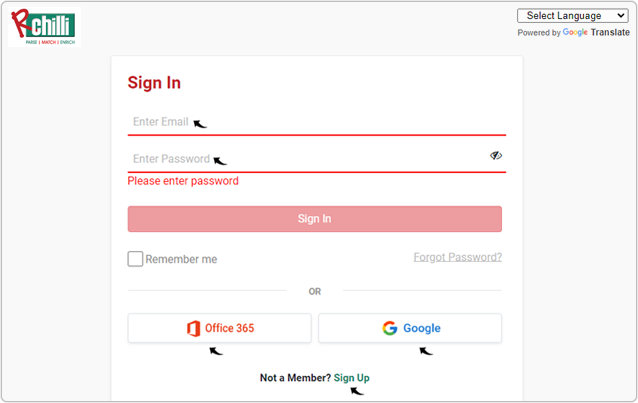
- Enter your Email and Password to log in to your RChilli My Account
client portal or use Office 365 or Google to log in as necessary. You
must sign up if you do not have registered account.Note: Contact support@rchilli.com for My Account portal access, subscription plans, pricing, and for any further support.
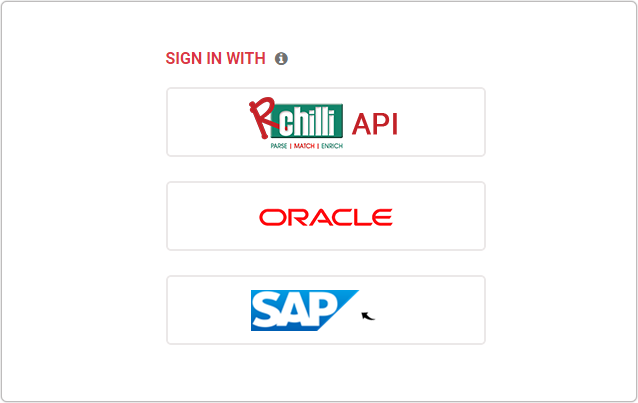
- Click SAP to log in into RChilli My Account client portal for SAP.
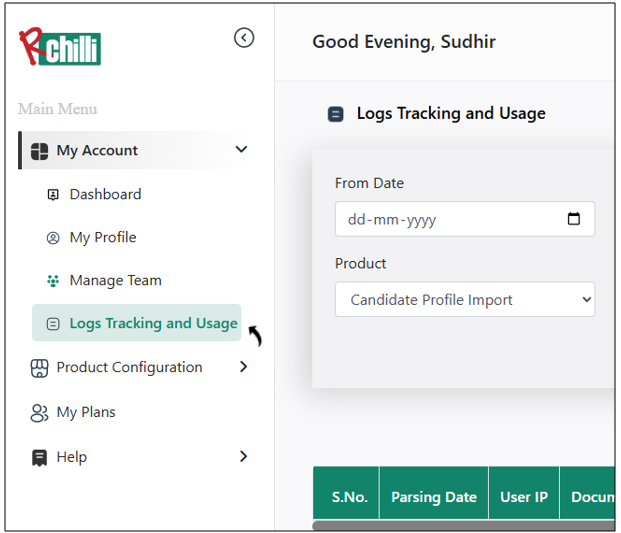
- Navigate to .
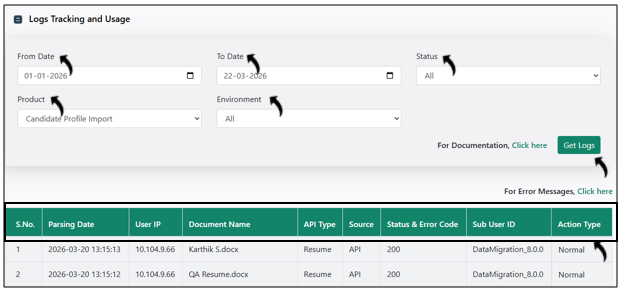
- On the Logs Tracking and Usage section, select the values for the fields such
as From Date, To Date, etc, and click Get Logs. All the parsing
data that fulfils the specified fields criteria will be displayed in the below
table.